Alarm Syncr · Android and Wear OS
Your phone's alarms, on your Wear OS watch.
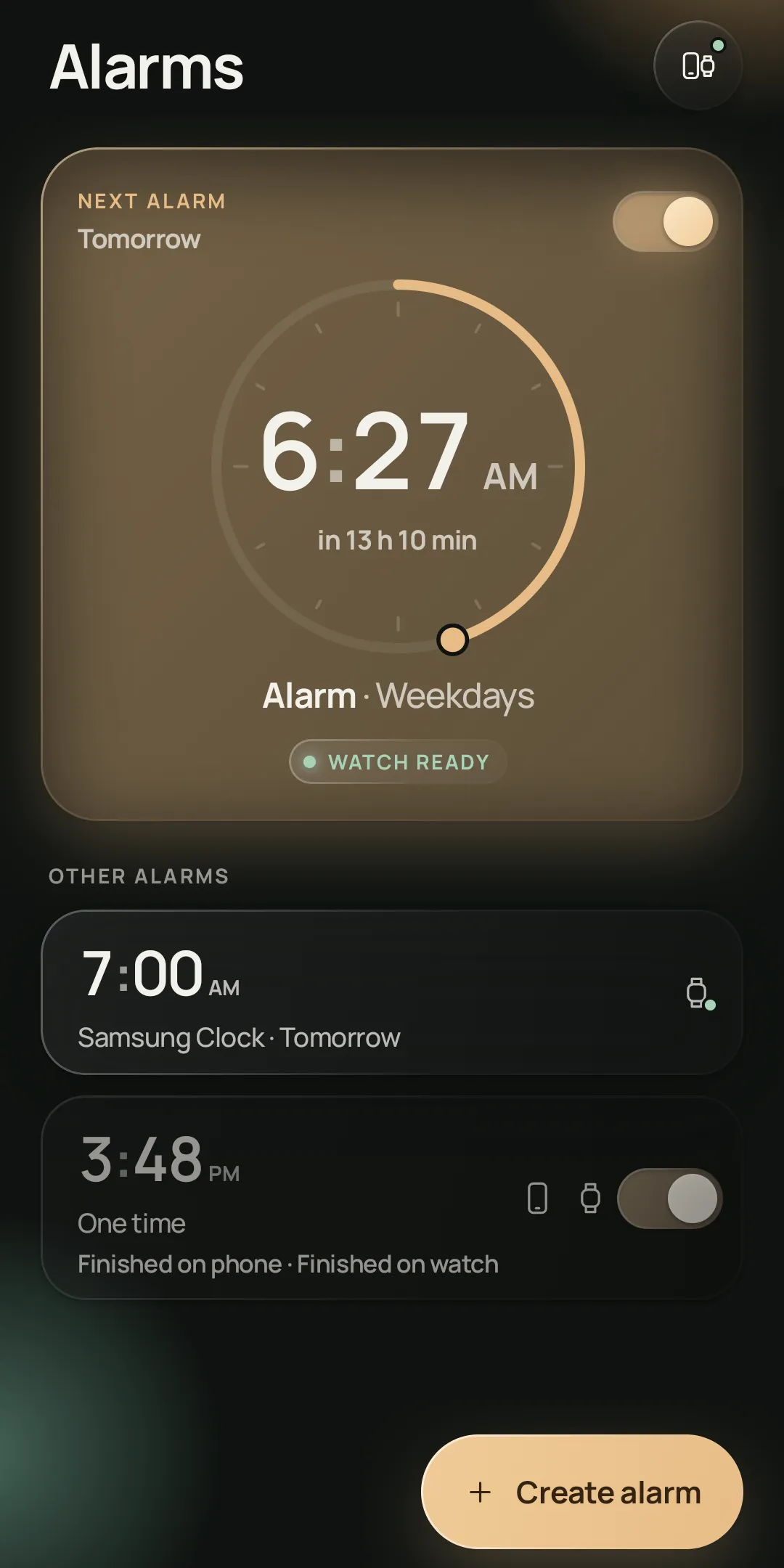
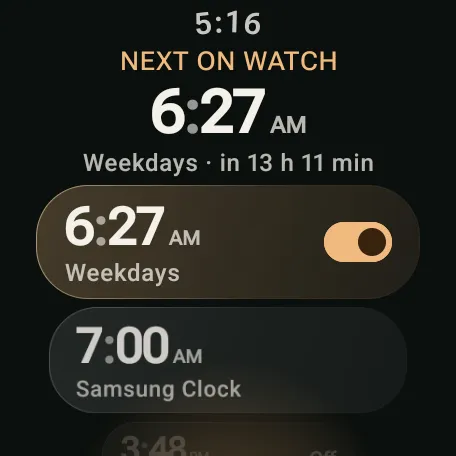
Set your alarms on your phone and choose where each one rings: on the phone, on the watch, or on both. Your watch keeps its own copy, so it rings even when your phone is off or in another room.

$0.99 · No ads · No account
The problem
Clock apps don't share alarms across brands.
Pair a Samsung Galaxy phone with a Google Pixel Watch, or a Pixel phone with a Galaxy Watch, and your alarms stay on the phone. Alarm Syncr sends them to the watch.
How it works
Set alarms once, on your phone.
- 1
Set it on your phone
Create your alarms in Alarm Syncr on your phone.
- 2
Choose where it rings
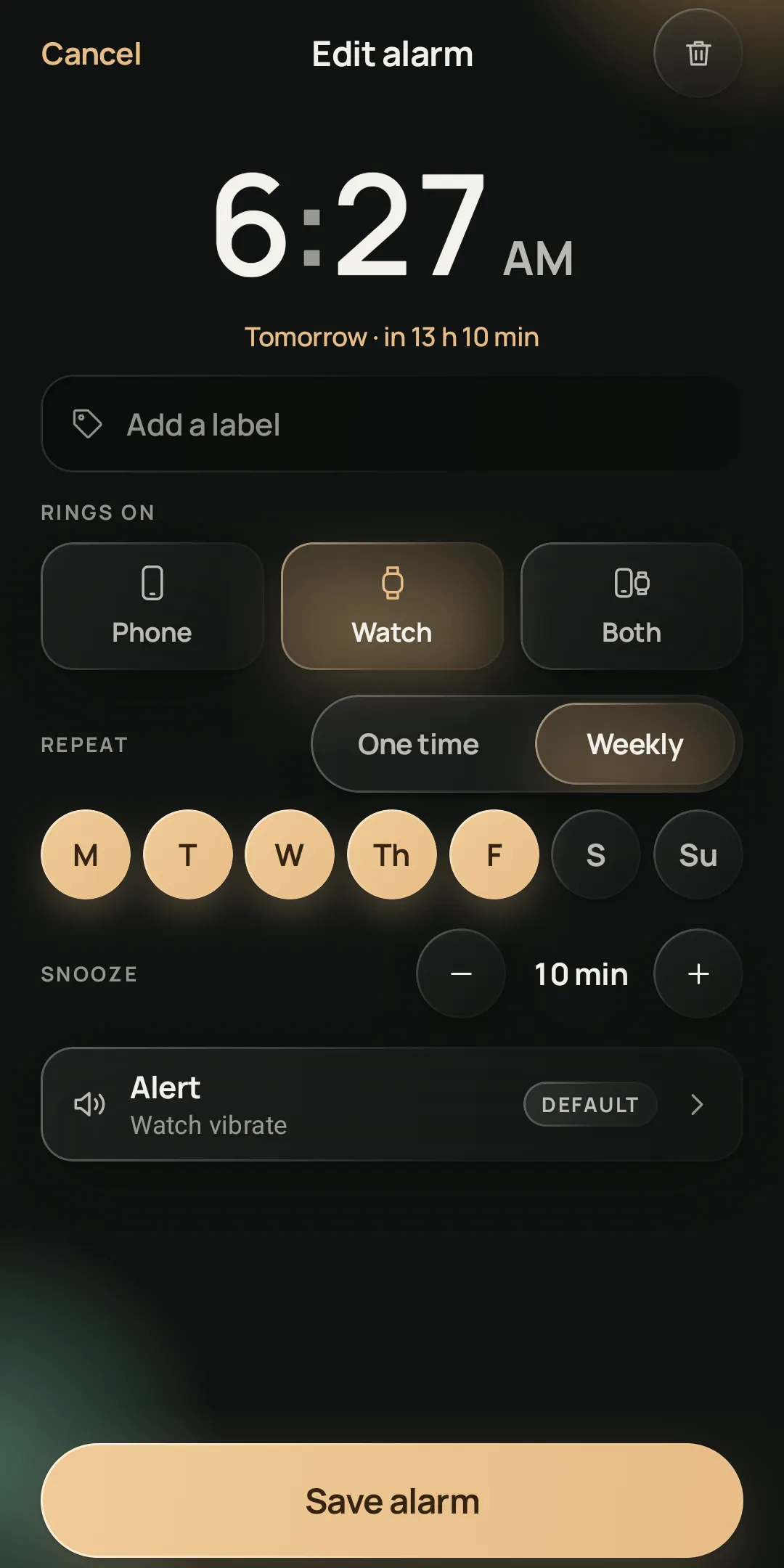
Phone, watch or both, chosen for each alarm.
- 3
Your watch keeps a copy
Once an alarm reaches the watch, the watch rings it on its own.
Screenshots
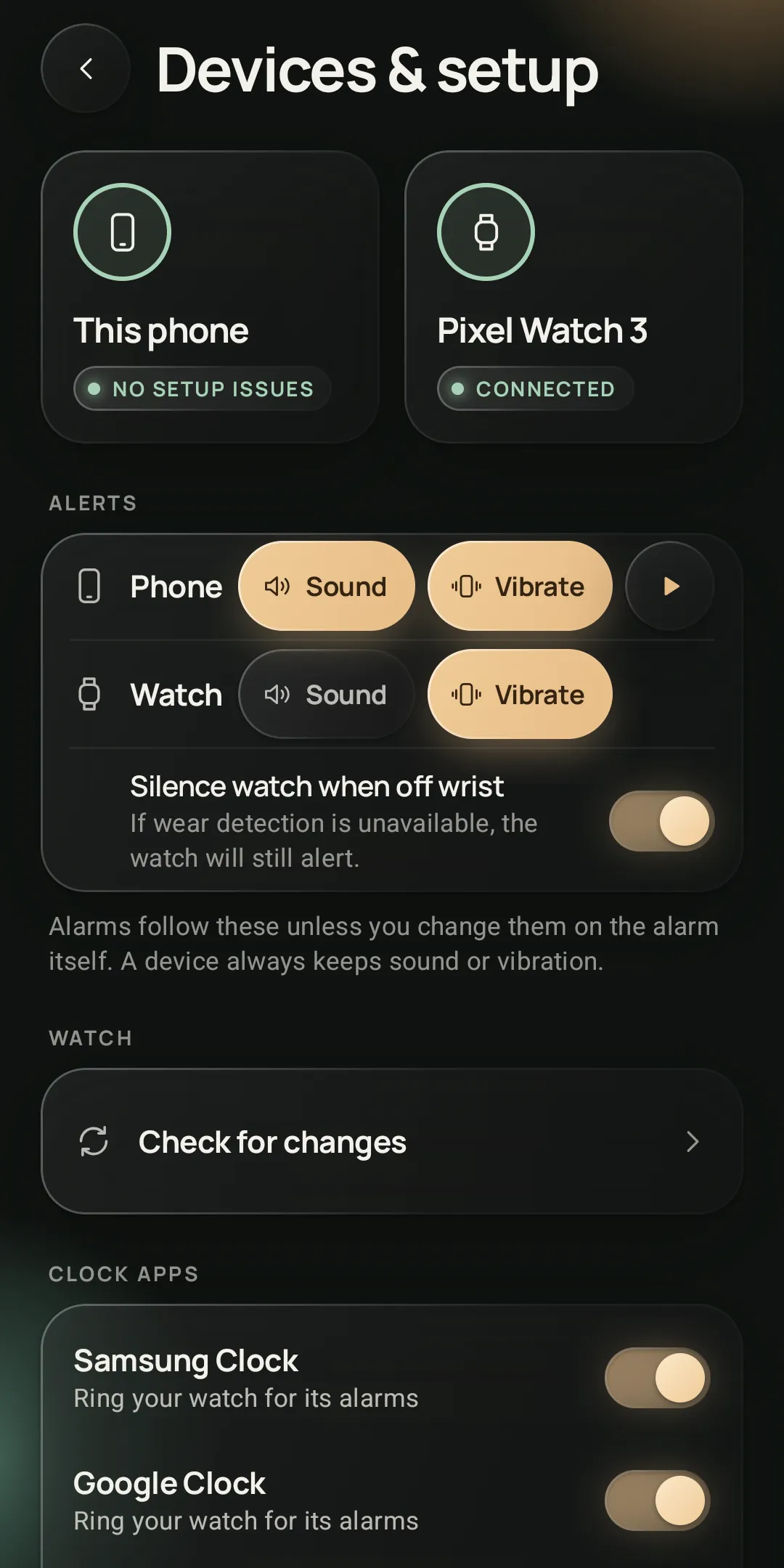
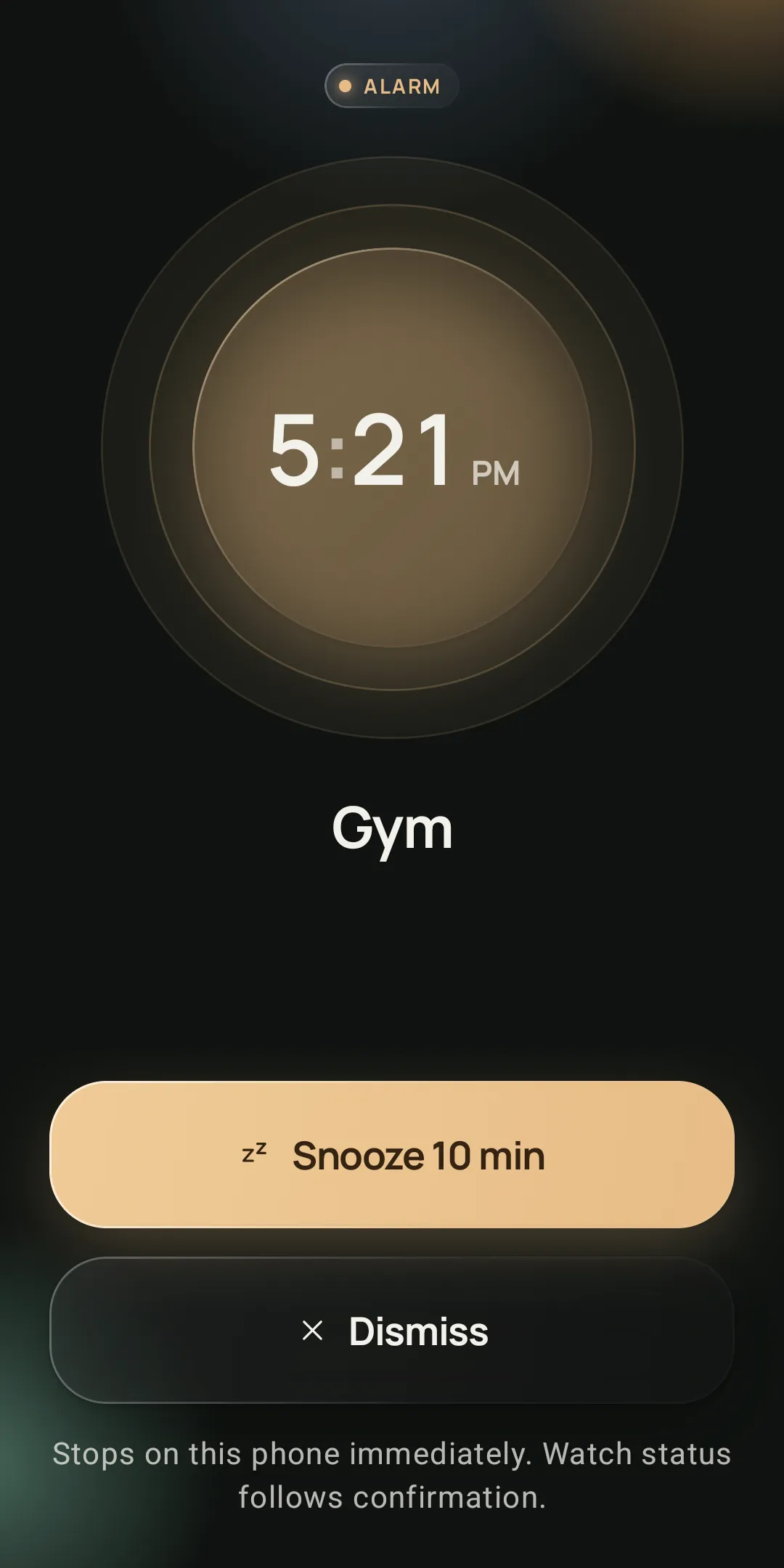
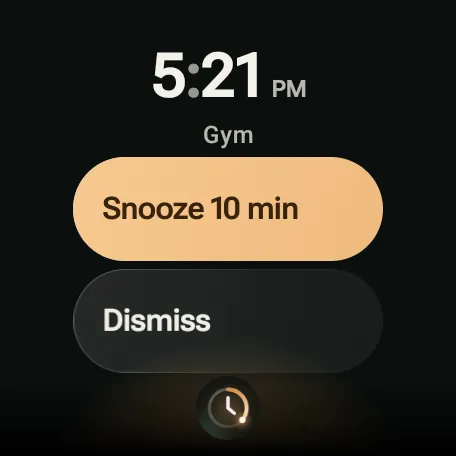
On your phone and on your wrist.
Why Alarm Syncr
What it does
Rings without your phone
If your phone is off or out of reach, the alarm still goes off on your wrist.
Phone, watch or both
Choose where each alarm rings, one alarm at a time.
Stays in sync
Changes you make on the phone reach the watch as soon as they reconnect.
Snooze on either device
Snooze or dismiss on either device, and the other one follows.
Sound and vibration
Set sound and vibration for the phone and the watch, as defaults or for a single alarm.
Quiet when off your wrist
Silence the watch while it's off your wrist, or switch off ringing on the watch alone with one tap.
Works with your Clock app
Already use Samsung Clock or Google Clock? Alarm Syncr can ring your watch for its next alarm too.
There's no account, sign-in or ads. Your alarms stay on your phone and watch, and they sync over an encrypted connection. Read the privacy policy.
Tested pairs
The pairs we test on
- Galaxy S26 UltraPixel Watch 3
- Pixel 10 Pro FoldGalaxy Watch Ultra
What you need
Requirements
- An Android phone running Android 11 or later.
- A watch running Wear OS 3 or later, paired with that phone.
- Alarm Syncr installed on both. The phone app shows you how to add it to the watch.
Questions
Frequently asked
Does Alarm Syncr work with a Samsung Galaxy phone and a Pixel Watch?
Yes. This is exactly the setup Alarm Syncr was made for, because Samsung Clock and the Pixel Watch don’t share alarms. We test it on a Galaxy S26 Ultra with a Pixel Watch 3.
Does it work with a Pixel phone and a Galaxy Watch?
Yes. We test it on a Pixel 10 Pro Fold with a Galaxy Watch Ultra. Other phones and watches need Android 11 or later and Wear OS 3 or later, but we haven’t tested them.
Will my watch ring if my phone is off?
Yes. Your watch keeps its own copy of every alarm, so once an alarm has reached the watch it rings on time even if your phone is turned off, out of battery or in another room.
Do I install it on both my phone and my watch?
Yes. Install Alarm Syncr from Google Play on your phone, and the phone app shows you how to add it to your watch. You set and edit alarms on the phone, and changes reach the watch as soon as they reconnect.
Can it ring my watch for Samsung Clock or Google Clock alarms?
Yes. If you’d rather keep using Samsung Clock or Google Clock on your phone, Alarm Syncr can ring your watch for that app’s next alarm too, and Snooze or Dismiss on the watch is passed back to it.
What data does Alarm Syncr collect?
None. There’s no account, no sign-in and no ads. Your alarms stay on your phone and watch, and they sync over an encrypted connection. The details are in the privacy policy.
What do I need to use it?
An Android phone running Android 11 or later, and a watch running Wear OS 3 or later that’s paired with that phone.
Get Alarm Syncr on Google Play
Alarm Syncr isn't affiliated with Samsung or Google. Samsung, Galaxy, Google and Pixel are trademarks of their owners. Google Play and the Google Play logo are trademarks of Google LLC.